|
|---|
|
|
|
これは日々の作業を通して学んだことや毎日の生活で気づいたことをを記録しておく備忘録である。
HTML ファイル生成日時: 2026/10/25 16:50:22.246 (台灣標準時)
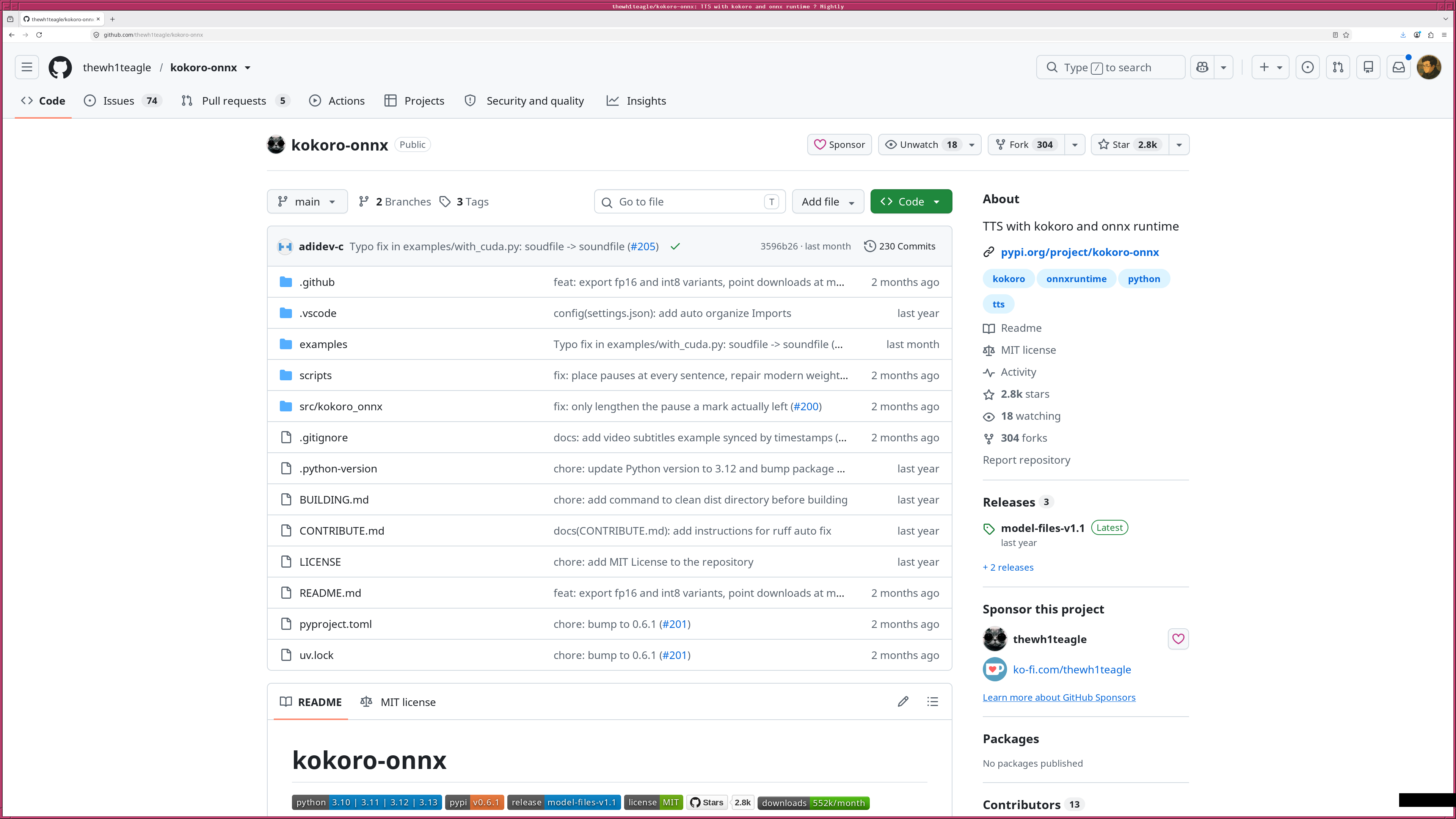
自由に使える TTS (text-to-speech) として kokoro-onnx というものがあり、 作られる音声の質もよい、という記述を見かけたので、試してみることにした でござる。 NetBSD にインストールするのは手間と時間がかかりそうなので、 まず Debian GNU/Linux でインストールをしてみることにしたでござる。
まず、必要なパッケージをインストールするでござる。
# apt install python3-pip python3-venv espeak-ng libportaudio2
venv を使って、 kokoro-onnx 専用の Python 実行環境を作るでござる。
% mkdir share/kokoro
% cd share/kokoro
% python3 -m venv venv
仮想環境を有効化するでござる。
% cd
% cd share/kokoro/venv/bin
% source activate.csh
kokoro-onnx に必要な Python パッケージを仮想環境にインストールするでご ざる。
% pip install --upgrade pip
% pip install kokoro-onnx soundfile "misaki[ja]"
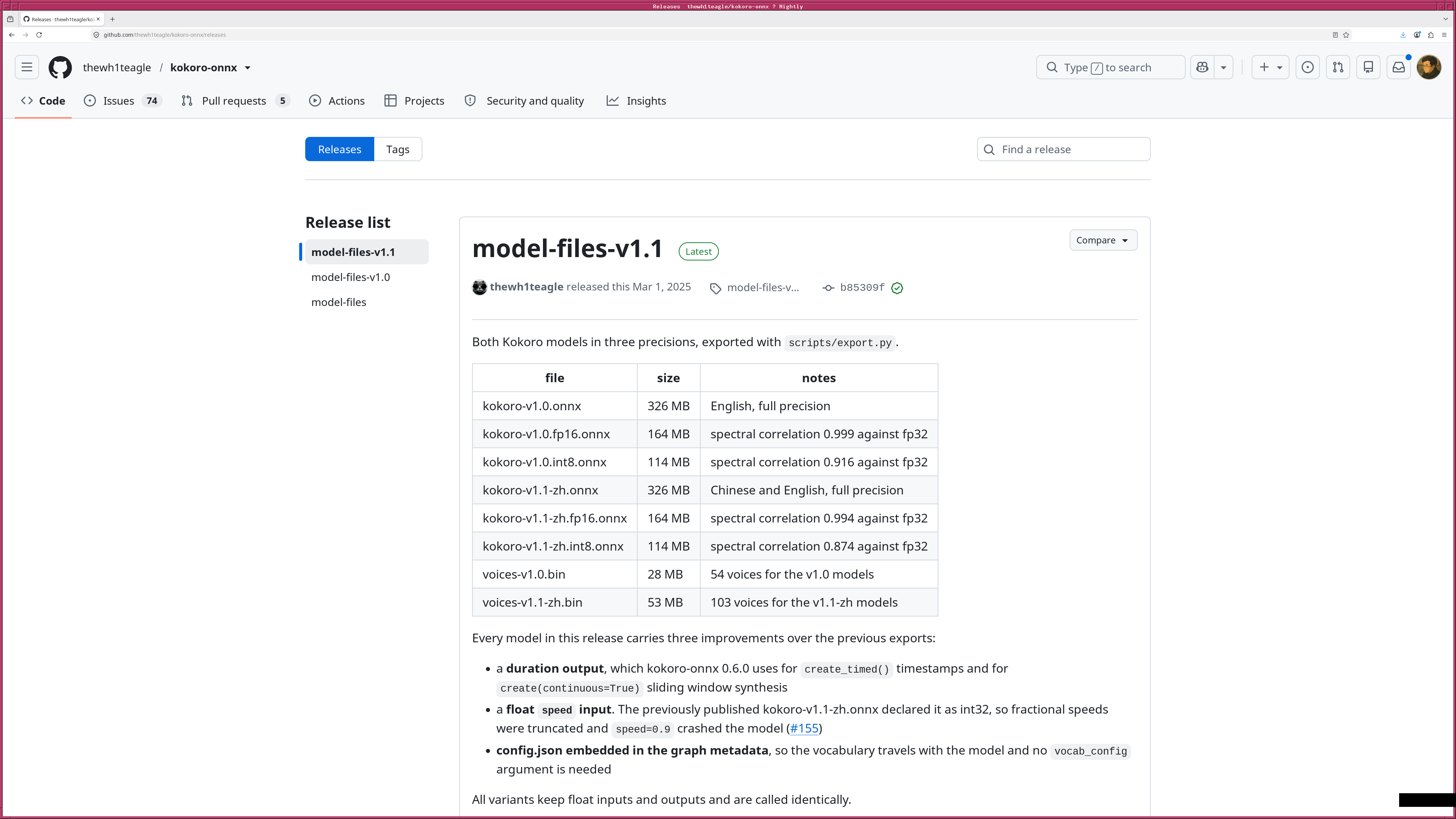
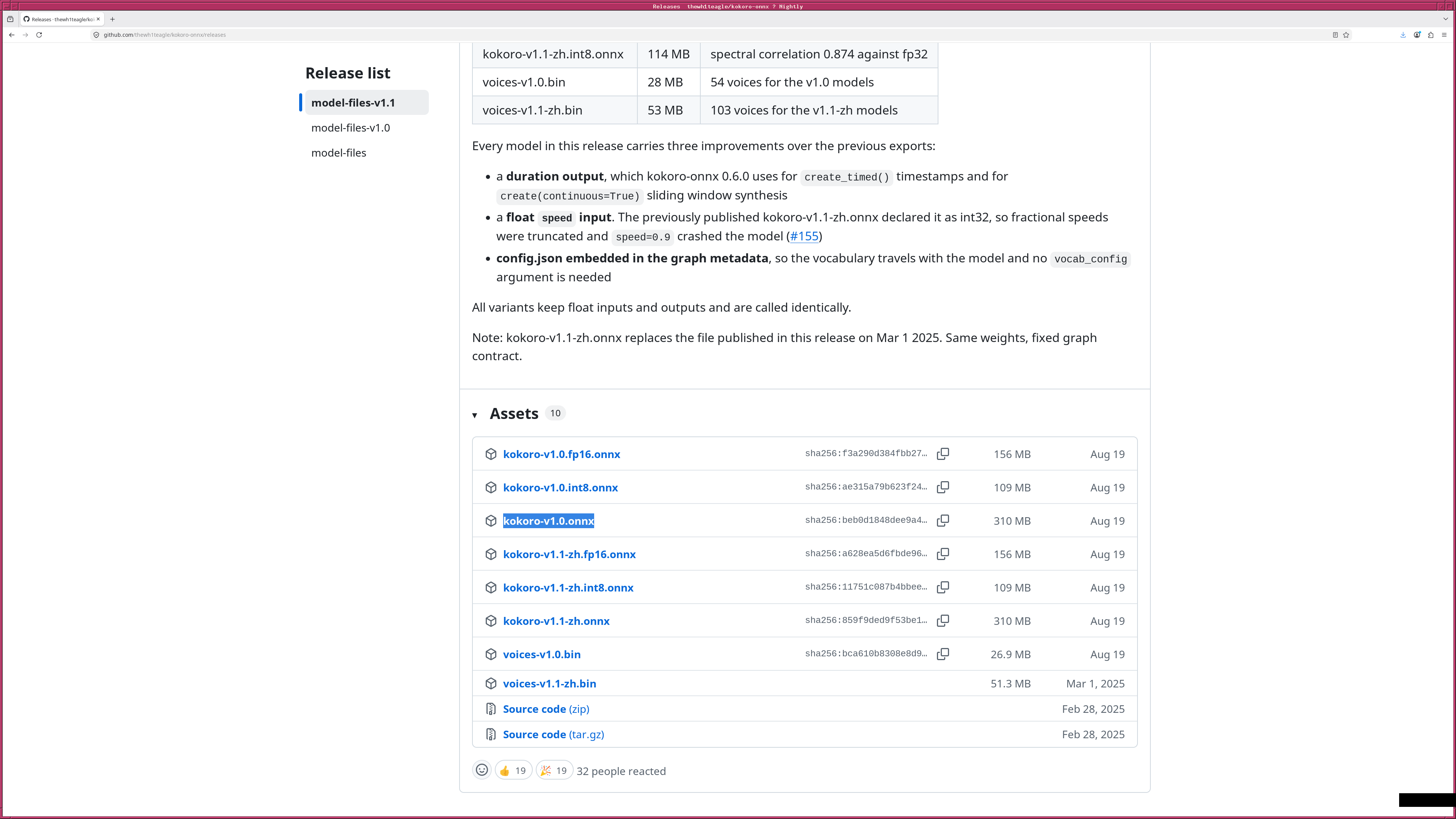
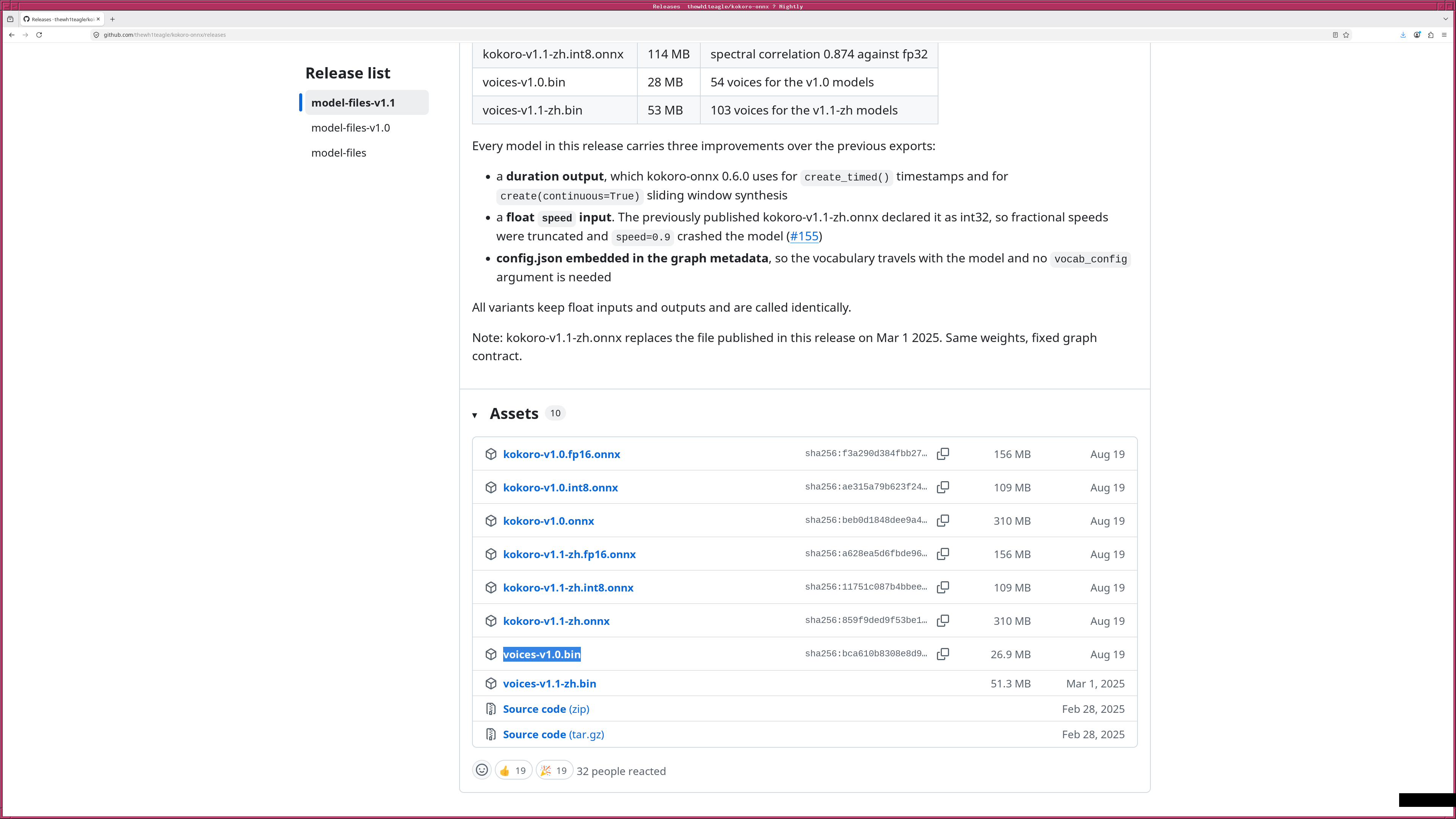
https://github.com/thewh1teagle/kokoro-onnx から kokoro-onnx のモデルファイルをダウンロードするでござる。 kokoro-v1.0.onnx と voices-v1.0.bin をダウンロードするでござる。
% cd
% cd share/kokoro
% wget https://github.com/thewh1teagle/kokoro-onnx/releases/download/model-files-v1.1/kokoro-v1.0.onnx
% wget https://github.com/thewh1teagle/kokoro-onnx/releases/download/model-files-v1.1/voices-v1.0.bin
|
|
|---|
|
|
|
|
|
|
これで、準備はできたので、 Python のプログラムを書いて、実際に使ってみ るでござる。以下のようなプログラムを準備したでござる。
#!/home/daisuke/share/kokoro/venv/bin/python3

#
# Time-stamp: <2026/10/15 07:42:22 (UT+08:00) daisuke>
#

# importing numpy module
import numpy

# importing soundfile module
import soundfile

# importing kokoro_onnx module
import kokoro_onnx

# importing misaki module
import misaki.ja

# output file name
file_output = 'test.wav'

# volume
volume_factor = 1.5

# making kokoro object
kokoro_model = '/home/daisuke/share/kokoro/kokoro-v1.0.onnx'
kokoro_voice = '/home/daisuke/share/kokoro/voices-v1.0.bin'
kokoro       = kokoro_onnx.Kokoro (kokoro_model, kokoro_voice)

# text
text = "これは kokoro-onnx による音声合成の試験です。"

# phonemes
g2p      = misaki.ja.JAG2P ()
phonemes = g2p (text)

# generating speech
samples, sample_rate = kokoro.create (
    phonemes,
    voice="jf_gongitsune",
    speed=0.98,
    lang="ja",
    is_phonemes=True,
)

# adjustment of volume
samples_adjusted = numpy.clip (samples * volume_factor, -1.0, +1.0)

# writing output file
soundfile.write (file_output, samples_adjusted, sample_rate)
日本語の文字列を直接に .create () メソッドに渡すと、上手く処理してもら えなかったでござる。 misaki を使って文字を音素に変換してから、 .create () メソッドに渡すと上手くいったでござる。
音声合成が上手くいったので、より便利に使える Python のプログラムを作っ てみたでござる。
#!/home/daisuke/share/kokoro/venv/bin/python3

#
# Time-stamp: <2026/10/15 07:47:51 (UT+08:00) daisuke>
#

# importing argparse module
import argparse

# importing os module
import os

# importing numpy module
import numpy

# importing soundfile module
import soundfile

# importing kokoro_onnx module
import kokoro_onnx

# importing misaki module
import misaki.ja

# importing subprocess module
import subprocess

# default sample rate
default_sample_rate = 24000

# silence
time_short_silence = 0.2
time_long_silence  = 0.5
samples_short_silence = numpy.zeros (int (default_sample_rate * time_short_silence), \
                                    dtype=numpy.float32)
samples_long_silence  = numpy.zeros (int (default_sample_rate * time_long_silence), \
                                    dtype=numpy.float32)

# PID
pid = os.getpid ()

def main ():
    # initialising a parser
    descr  = f'generating a MP3 file from a text file using kokoro-onnx'
    parser = argparse.ArgumentParser (description=descr)

    # choices
    choices_voice = [
        'jf_alpha',
        'jf_gongitsune',
        'jf_nezumi',
        'jf_tebukuro',
        'jm_kumo',
    ]
    choices_lang = [
        'en-us',
        'ja',
    ]

    # home directory
    dir_home           = os.getenv ('HOME')
    default_dir_kokoro = f'{dir_home}/share/kokoro'

    parser.add_argument ('-a', '--volume', type=float, default=1.0, \
                         help='audio volume (default: 1.0)')
    parser.add_argument ('-i', '--text', default='input.txt', \
                         help='input text file (default: input.txt)')
    parser.add_argument ('-k', '--kokoro', default=default_dir_kokoro, \
                         help=f'kokoro directory (default: {default_dir_kokoro})')
    parser.add_argument ('-l', '--lang', choices=choices_lang, default='ja', \
                         help='language of text (default: ja)')
    parser.add_argument ('-m', '--model', default='kokoro-v1.0.onnx', \
                         help='kokoro model file (default: kokoro-v1.0.onnx)')
    parser.add_argument ('-o', '--audio', default='output.mp3', \
                         help='output audio file (default: output.mp3)')
    parser.add_argument ('-p', '--package', default='voices-v1.0.bin', \
                         help='voice package file (default: voices-v1.0.bin)')
    parser.add_argument ('-r', '--rate', type=float, default=1.0, \
                         help='rate (speed) of speech (default: 1.0)')
    parser.add_argument ('-s', '--voice', \
                         choices=choices_voice, default='jf_nezumi', \
                         help='voice of synthesised speech (default: jf_nezumi)')
    parser.add_argument ('-v', '--verbose', action='store_true', \
                         help='verbosity')

    # parsing arguments
    args = parser.parse_args ()

    # input parameters
    dir_kokoro    = args.kokoro
    file_audio    = args.audio
    file_text     = args.text
    kokoro_model  = args.model
    kokoro_voice  = args.package
    text_lang     = args.lang
    speech_rate   = args.rate
    speech_voice  = args.voice
    speech_volume = args.volume
    verbose       = args.verbose

    # printing input parameters
    if (verbose):
        print (f'#')
        print (f'# Input parameters')
        print (f'#')
        print (f'#  dir_kokoro    = {dir_kokoro}')
        print (f'#  file_audio    = {file_audio}')
        print (f'#  file_text     = {file_text}')
        print (f'#  kokoro_model  = {kokoro_model}')
        print (f'#  kokoro_voice  = {kokoro_voice}')
        print (f'#  speech_rate   = {speech_rate}')
        print (f'#  speech_voice  = {speech_voice}')
        print (f'#  speech_volume = {speech_volume}')
        print (f'#')

    # list of text lines
    list_lines = []

    # opening input text file
    with open (file_text, 'r') as fh_in:
        # reading line-by-line
        for line in fh_in:
            # appending line to list
            if (line != '\n'):
                list_lines.append (line)

    # creating kokoro object
    kokoro = kokoro_onnx.Kokoro (f'{dir_kokoro}/{kokoro_model}', \
                                 f'{dir_kokoro}/{kokoro_voice}')

    # G2P conversion by misaki
    g2p = misaki.ja.JAG2P ()

    # list of audio segments
    list_speech = []

    # making speech
    for line in list_lines:
        # G2P conversion
        phonemes = g2p (line)
        # generating speech
        samples, sample_rate = kokoro.create (
            phonemes,
            voice=speech_voice,
            speed=speech_rate,
            lang='ja',
            is_phonemes=True,
        )

        # adjustment of audio volume
        if (speech_volume != 1.0):
            samples_adjusted = numpy.clip (samples * speech_volume, -1.0, +1.0)
        else:
            samples_adjusted = samples

        # appending audio segments to list
        list_speech.append (samples_adjusted)
        list_speech.append (samples_long_silence)

    # combining all the audio segments
    combined_samples = numpy.concatenate (list_speech)

    # making wav file
    file_wav = f'/tmp/tmp_kokoro_{pid}.wav'
    soundfile.write (file_wav, combined_samples, sample_rate)

    # coverting wav file into mp3 file
    command_ffmpeg = f'ffmpeg -y -i {file_wav} {file_audio}'
    subprocess.run (command_ffmpeg, shell=True)

# executing main function
if (__name__ == '__main__'):
    main ()
kokoro-onnx で音声合成をして、できたファイルを再生してみると、明らかに 機械が読み上げているということがわかる、という印象を持ったでござる。な れど、自由に使える、ということは非常によいことだと思うので、使いみちを 考えてみたいでござる。